Building a board, fitting a panel or repairing a lead — get the right USB or FireWire connector, ready to ship. We stock every common type, from USB-A, USB-B and USB-C to Micro, Mini and legacy FireWire, as plugs, sockets and PCB parts.
Our own brand, TruConnect, is the easy call for USB and FireWire — dependable varieties across plug, socket and PCB forms, proven in the field and priced to keep your costs down. In UK stock for next-day delivery, with technical back-up when you need it. Explore all of our own brands today.
USB & FireWire connectors — buying guide & FAQs
USB connectors carry power and data between devices, and choosing the right one comes down to the type, the version and how it mounts. We stock the full range of plugs, sockets and adaptors, from board-level parts to panel-mount fittings. For the wider picture, see our guide to connector types.
What types of USB connector are there?
- USB Type-A — the classic flat, rectangular connector found on most hosts and hubs.
- USB Type-B — squarer, used on printers, instruments and industrial equipment.
- USB Type-C — the small, reversible connector that plugs in either way, with higher power and data support.
- Micro-USB — thin connector used on phones and small devices before Type-C.
- Mini-USB — the older, larger connector on early cameras and audio gear.
Each type comes in USB 2.0 and USB 3.0 versions, so match the version as well as the shape.
USB connectors by mounting
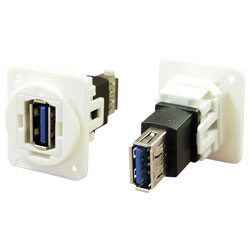
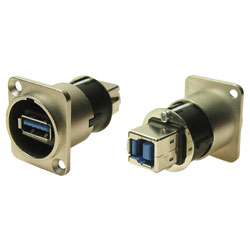
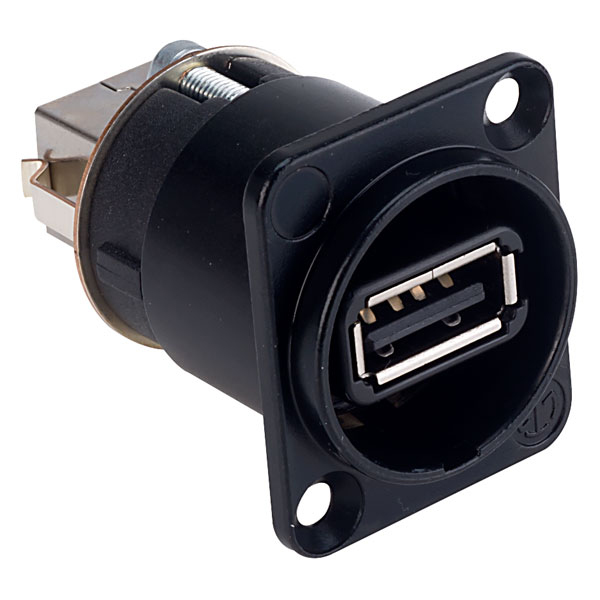
We carry the connector to suit however you're fitting it: cable-mount plugs for leads, panel and bulkhead-mount sockets for enclosures (including waterproof options), and PCB connectors in through-hole and SMD for boards. Right-angle and vertical versions are available where space is tight.
How do I choose a USB connector?
- Type — A, B, C, Micro or Mini, to match the mating device.
- Version — USB 2.0 or 3.0, which affects the pin count and data speed.
- Mounting — through-hole or SMD for PCBs, panel or bulkhead for enclosures.
- Gender — plug (male) or socket (female).
Not sure which to specify? Our technical team will help you match a part, and we supply bespoke quantities when a project needs them.
FireWire connectors
FireWire (IEEE 1394) is a legacy interface once common on cameras and audio equipment. It has largely been replaced by USB and Thunderbolt, but we still stock FireWire connectors — 4-pin, 6-pin and 9-pin (FireWire 800) — for maintaining and repairing older kit.
TruConnect — the same spec, for less
Our own TruConnect USB and FireWire connectors are the default choice on this page: matched to the branded parts on type, version, footprint and rating, and held in UK stock. Where a part has a branded equivalent, we show the TruConnect option beside it so you can compare the spec and the price directly, then decide. Every part is backed by technical support from people who know the products.
Looking for a USB lead rather than a connector? See our USB cables and USB cable assemblies. After a mains socket with USB charging? See domestic switches & sockets. For the wider range, browse all connectors.
USB & FireWire connectors — frequently asked questions
What are the different types of USB connector?
The main types are USB Type-A (the classic rectangular plug), Type-B (squarer, for printers and instruments), Type-C (the small reversible connector), plus Micro-USB and Mini-USB on older devices. Each comes in USB 2.0 and USB 3.0 versions.
What is the difference between USB-A and USB-C?
USB-A is the original flat, one-way rectangular connector. USB-C is smaller, reversible so it plugs in either way, and supports higher power and data speeds. They are not interchangeable without an adaptor.
What is the difference between Micro-USB and Mini-USB?
Mini-USB is the older, slightly larger connector found on early cameras and MP3 players. Micro-USB is thinner and replaced it on phones and small devices before USB-C. Check the shape on your device before ordering.
Is FireWire the same as USB?
No. FireWire (IEEE 1394) is a separate interface once used for cameras and audio gear, in 4-pin, 6-pin and 9-pin (FireWire 800) forms. It has largely been replaced by USB and Thunderbolt, but we still stock FireWire connectors for legacy equipment.
How do I choose a USB connector for a board or panel?
Pick the type (A, B or C), the USB version (2.0 or 3.0), and the mounting: through-hole or SMD for PCBs, panel or bulkhead mount for enclosures. Choose male (plug) or female (socket) to suit the mating part.


 {{SessionBasket.ItemCount }}